
From the Copy Trading User Center (Master Trader), you can get an overview of your Copy Trading Account, including past performances, followers’ performances, and your order details.
Account Overview
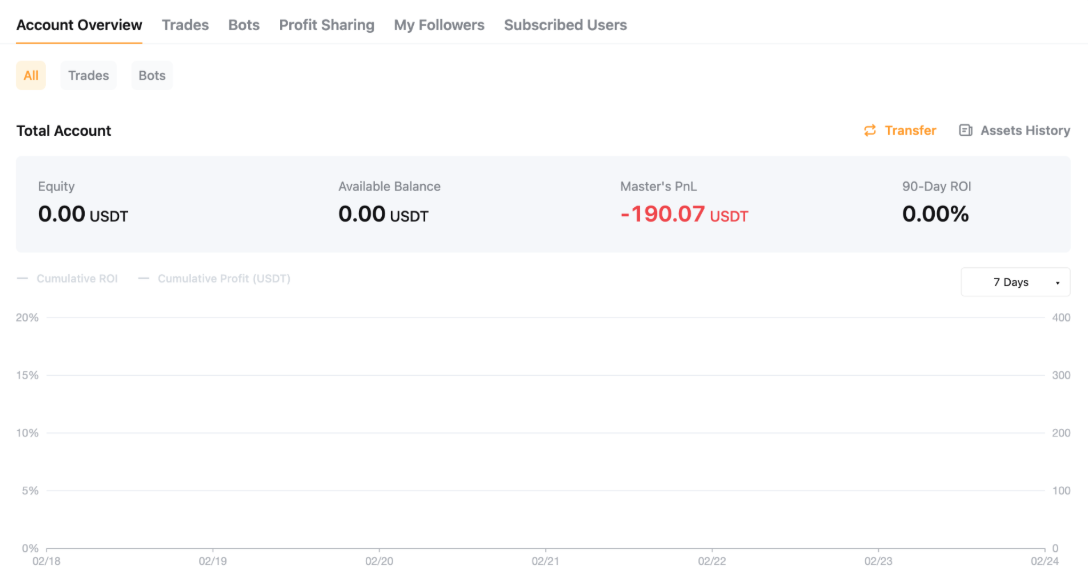
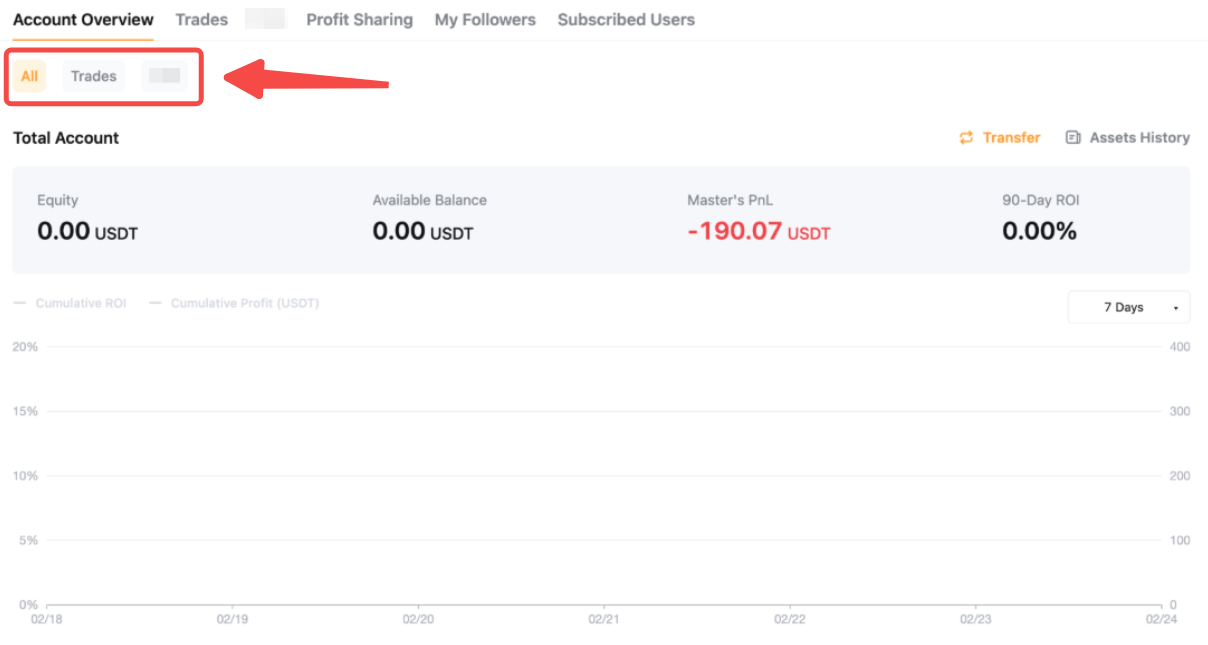
This section presents a brief overview of the Master Trader account. Individual data points are updated real-time or at fixed intervals, and their corresponding calculation rules are explained in the table below.
You may toggle between All and Trades to view the detailed breakdown of your trading performances.
Profit Sharing
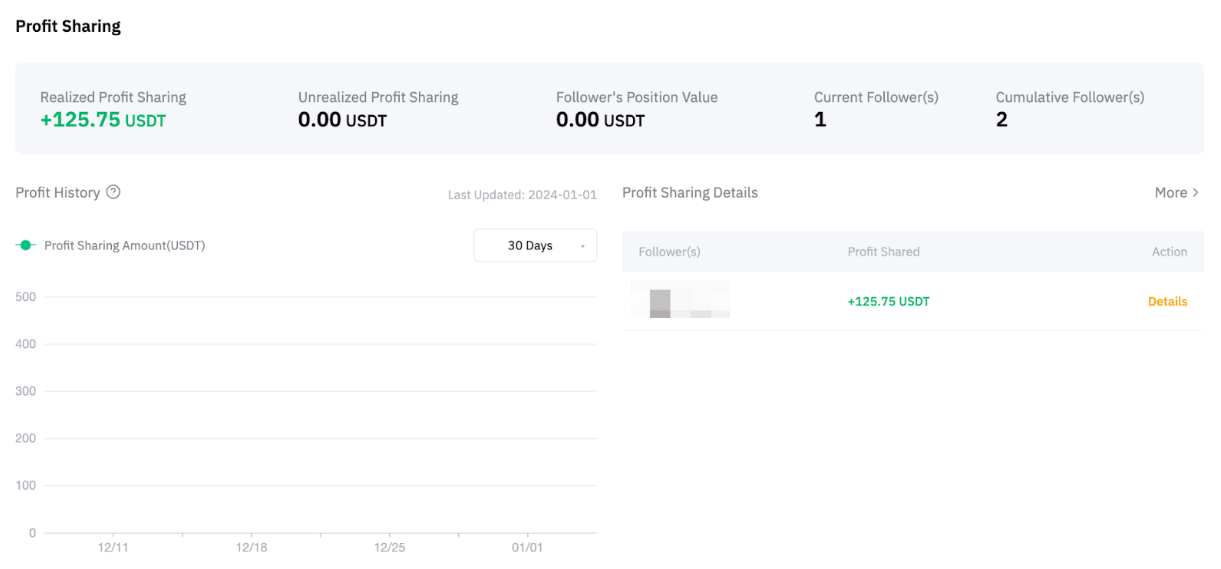
As a Master Trader on Bybit, you can share a portion of your followers’ net profit. The profit-sharing ratio is determined by the Master Trader’s rank. For more details, please refer to this article.
The Profit Sharing chart shows the Master Trader’s 30-Day and 90-Day ROI. It is updated in real-time. For more information on shares from individual Followers, please head to the Profit Sharing tab on the navigation bar.
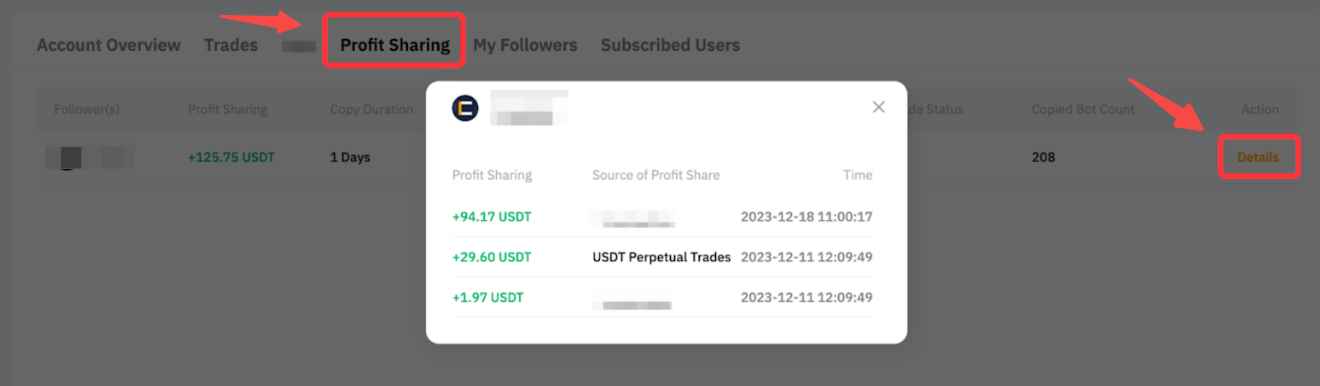
Trades
1. Current Trades
This shows the overview of existing open position(s) with the following details:
- Unrealized P&L
- Qty (the position size)
- Order Value
- Avg. Entry Price (position average entry price)
- Mark Price
- Fees to Open
- Order No
Under the By Contract tab, you can see the position margin, liquidation price, and realized P&L for your entire position of each symbol.
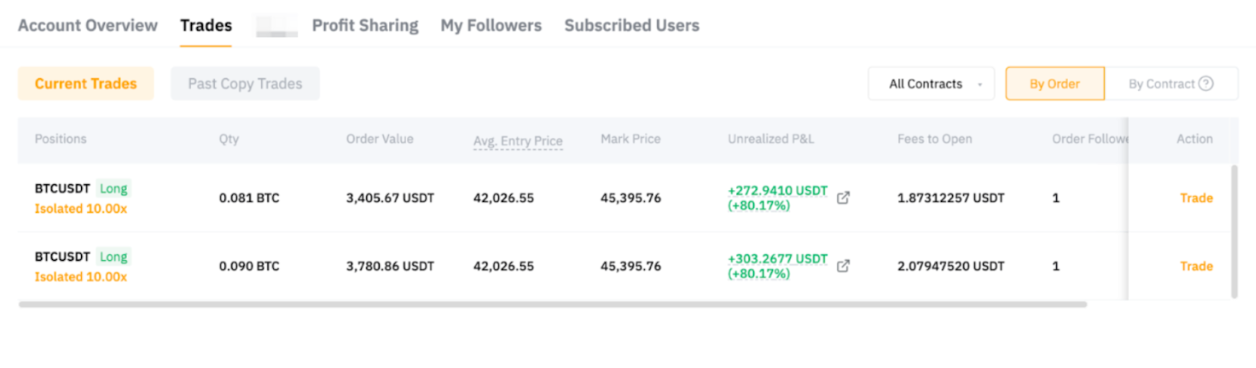
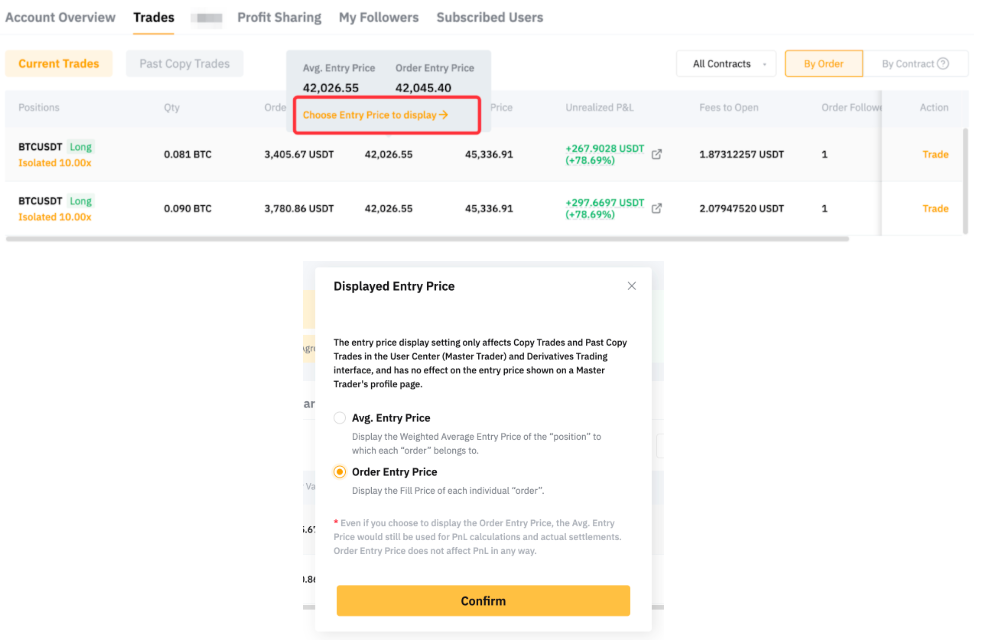
Please note that the Entry Price displayed in the order details is the position average entry price. To change the display to the order-filled price, you can move your cursor to the entry price and choose the Entry Price to display.
Click on the Trade button and it will direct you to the perpetual trading page to manage your position.
2. Past Copy Trades
You can view the details of your closed positions here, including the closing time, the closing price, and Closed P&L, fees incurred, and more. The Closed P&L is calculated based on the position's average entry price. Move your cursor to the Closed P&L and click on More Details to view the Position Average Entry Price Change History.
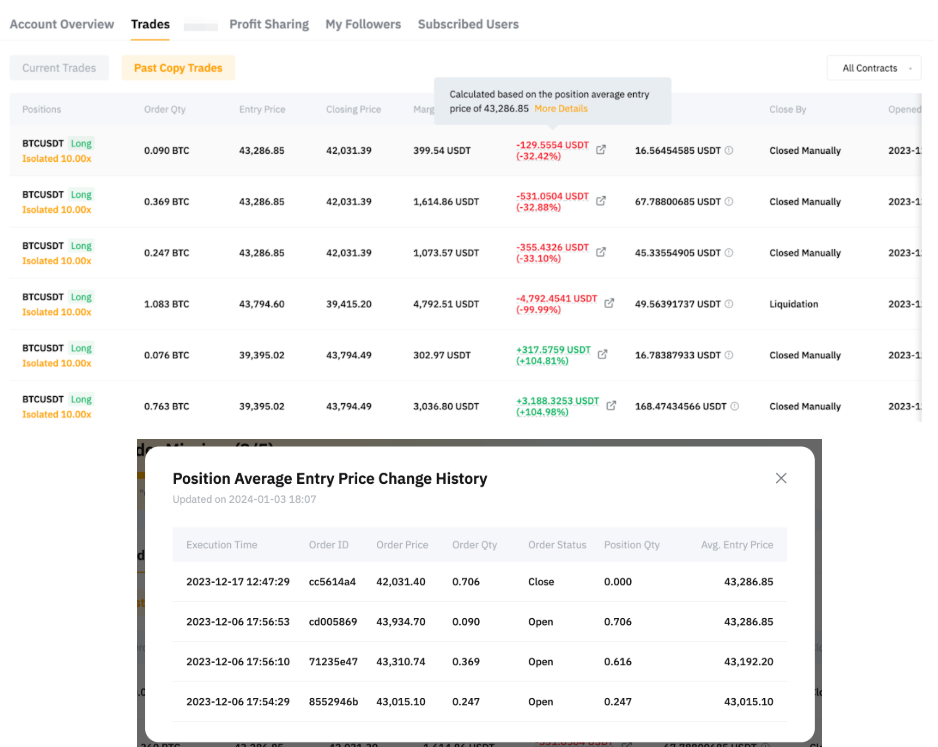
For more information on calculating a Closed P&L, please refer to P&L Calculations (USDT Contract).
My Followers
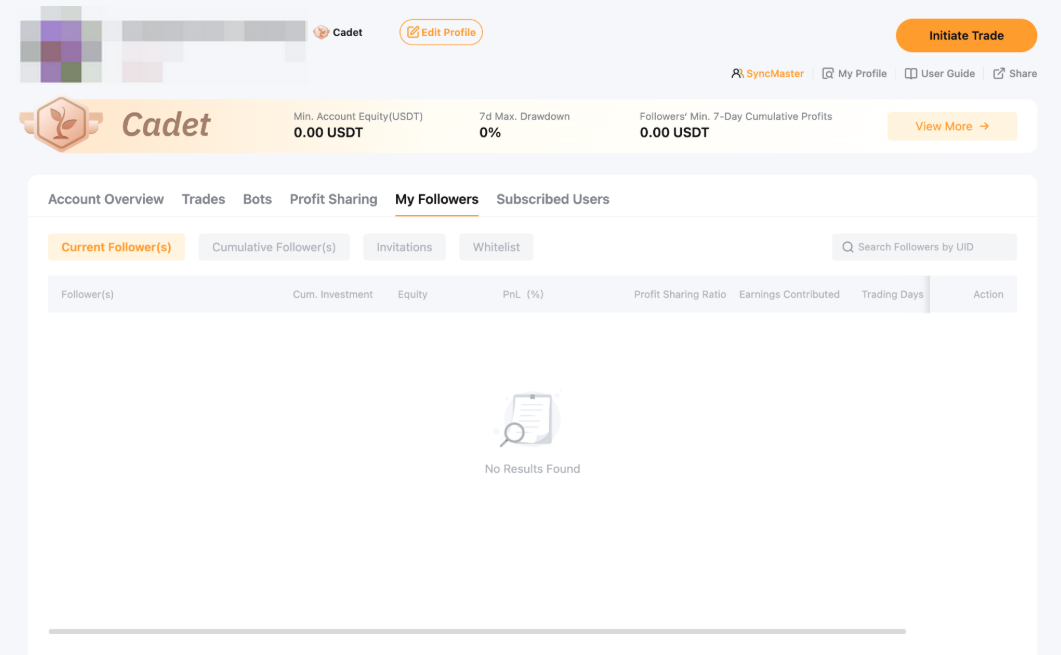
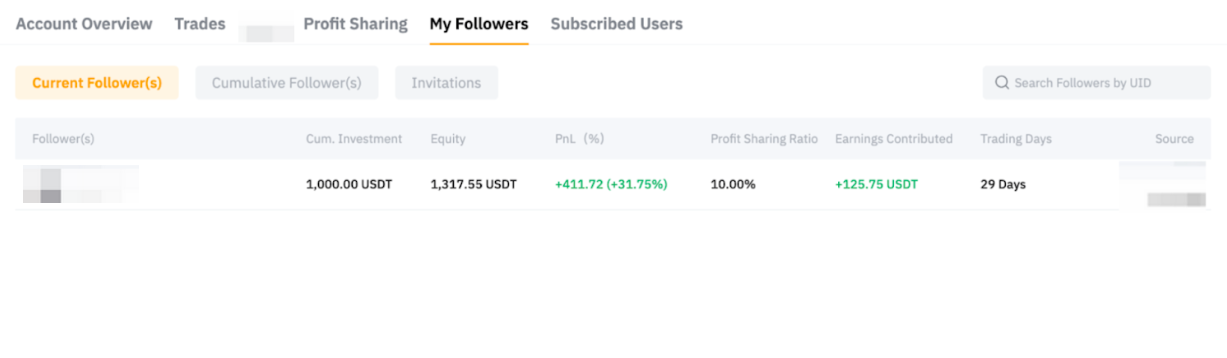
Find out more about those who follow you on this page. You have access to key performance metrics including the cum. Investment, Equity, P&L (%), Profit Sharing Ratio, Earnings Contributed on your past and current followers. You may also look at traders whom you invite to follow you by clicking on the Invitations tab. Click on the Generate Now button to generate customized links and use them to invite other traders to join you on Copy Trading.
For more information on How to Get Started with Copy Trading as a Master Trader, please visit this page.