
Becoming a TradFi Master Trader on Bybit's Copy Trading platform allows you to share your trading expertise, grow your influence, and earn profit-sharing rewards. Follow this guide to apply and start your journey today.
Key Information to Know Before Applying
1. Subaccount Requirement: Use a Subaccount (and not a Main Account) for your application. If your Subaccount previously created a TradFi (MT5) Account or applied to become a Copy Pro Master, it is ineligible for the application.
2. System-Generated TradFi (MT5) Accounts: You do not need to create a TradFi (MT5) Account manually. One will be created automatically upon approval, and account setup details will be emailed to you.
3. Supported Contracts: TradFi Copy Trading supports Forex, Indices, Metals, Oil, US Stock CFD, and Commodities contracts. USDT Perpetual contracts are excluded.
4. TradFi (MT5) Platform Familiarization: Review the TradFi Guide for a comprehensive understanding of the platform.
5. Read the Master Trader Agreement: Familiarize yourself with your responsibilities and potential breaches before applying.
Here’s a step-by-step guide for applying to become a TradFi Master Trader at Bybit.
Apply for TradFi Master Trader
TradFi Master Trader Level System
TradFi Master Trader Level Evaluation
How to Apply for TradFi Master Trader
Step 1: Log in or switch to a Subaccount that meets the eligibility requirements. You can create a new Subaccount if you do not have a supported Subaccount by referring to the guide here.
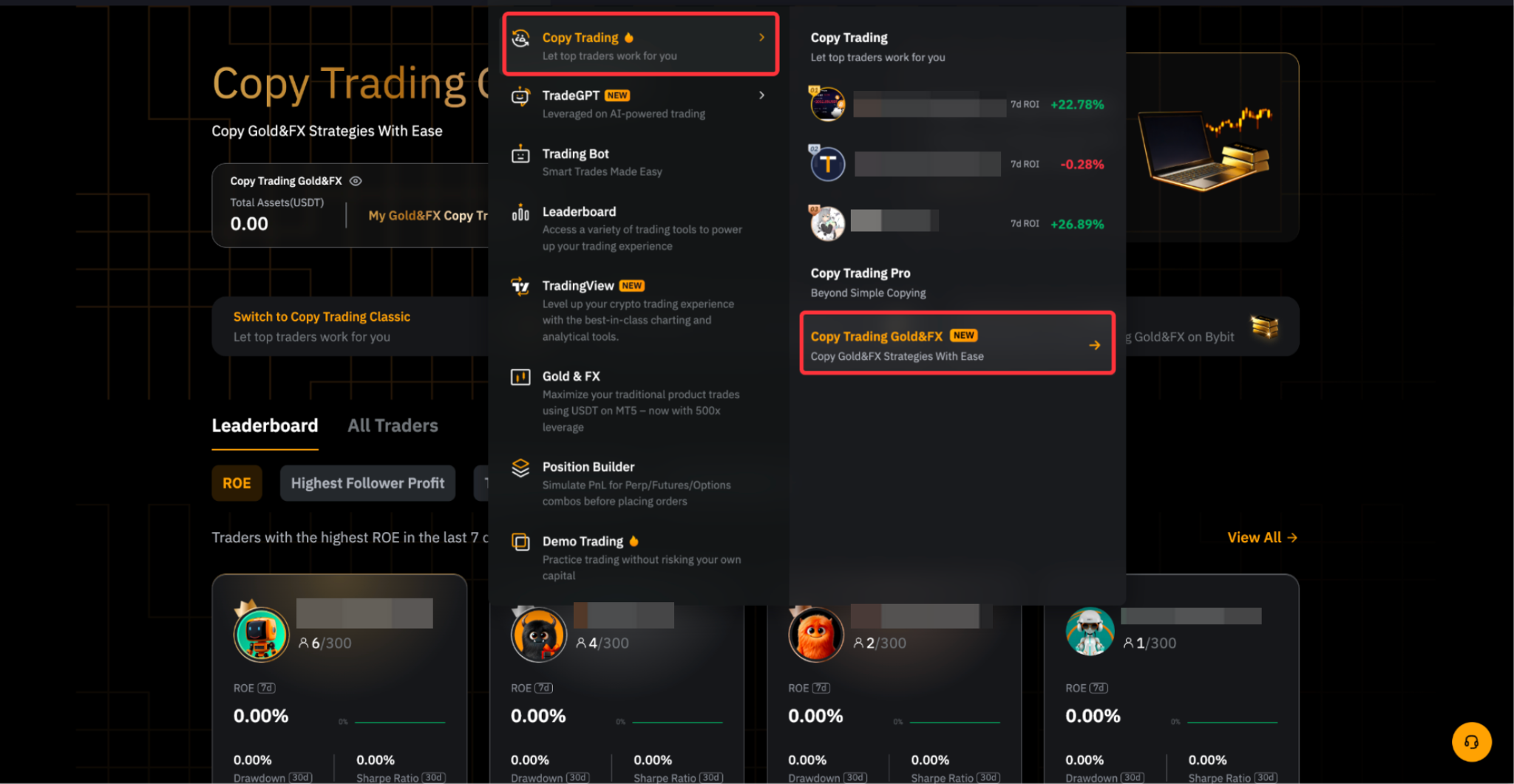
Step 2: Navigate to Tools → Copy Trading → TradFi Copy Trading .
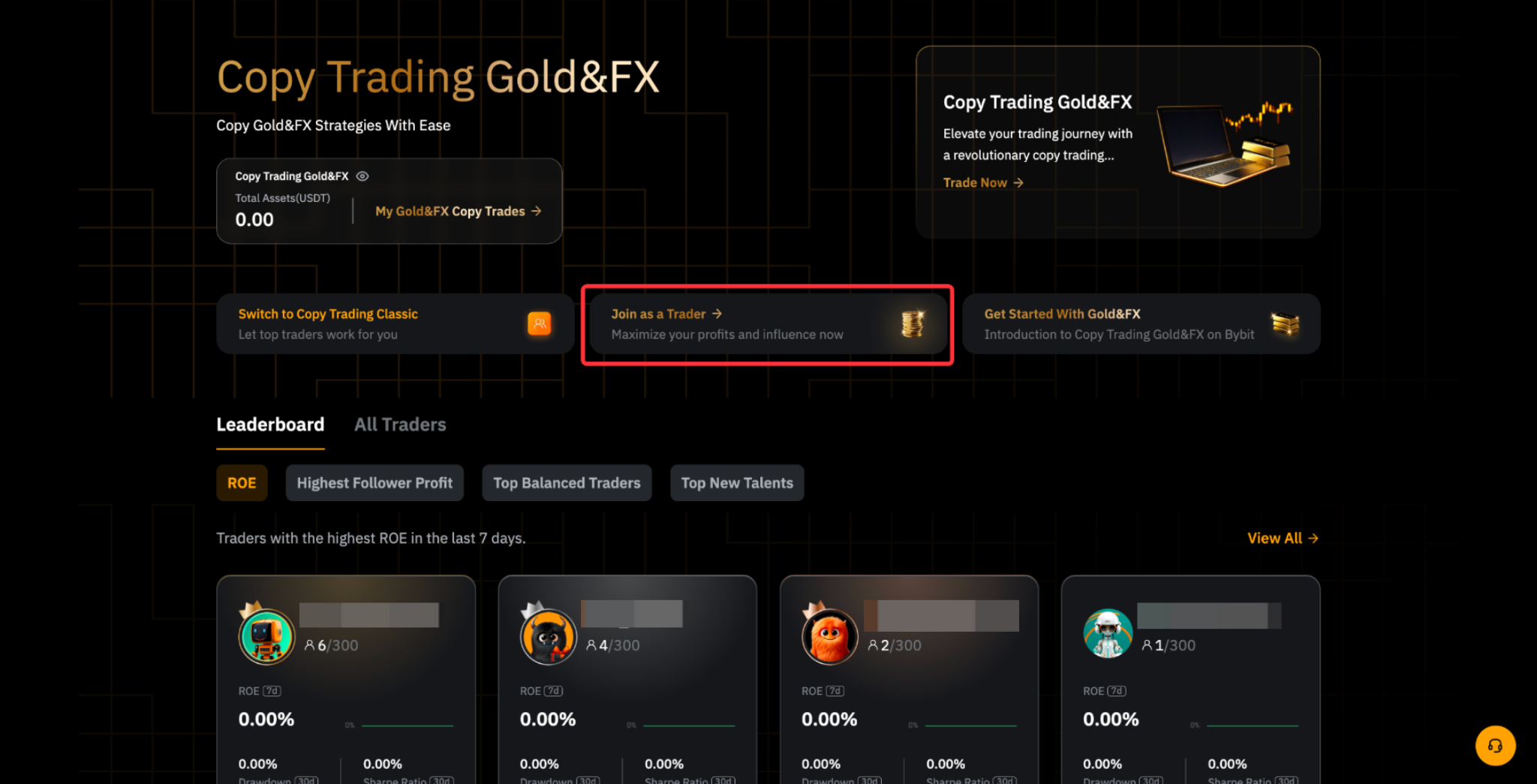
Step 3: Click on Join as a Trader to enter the TradFi Master Trader application page.
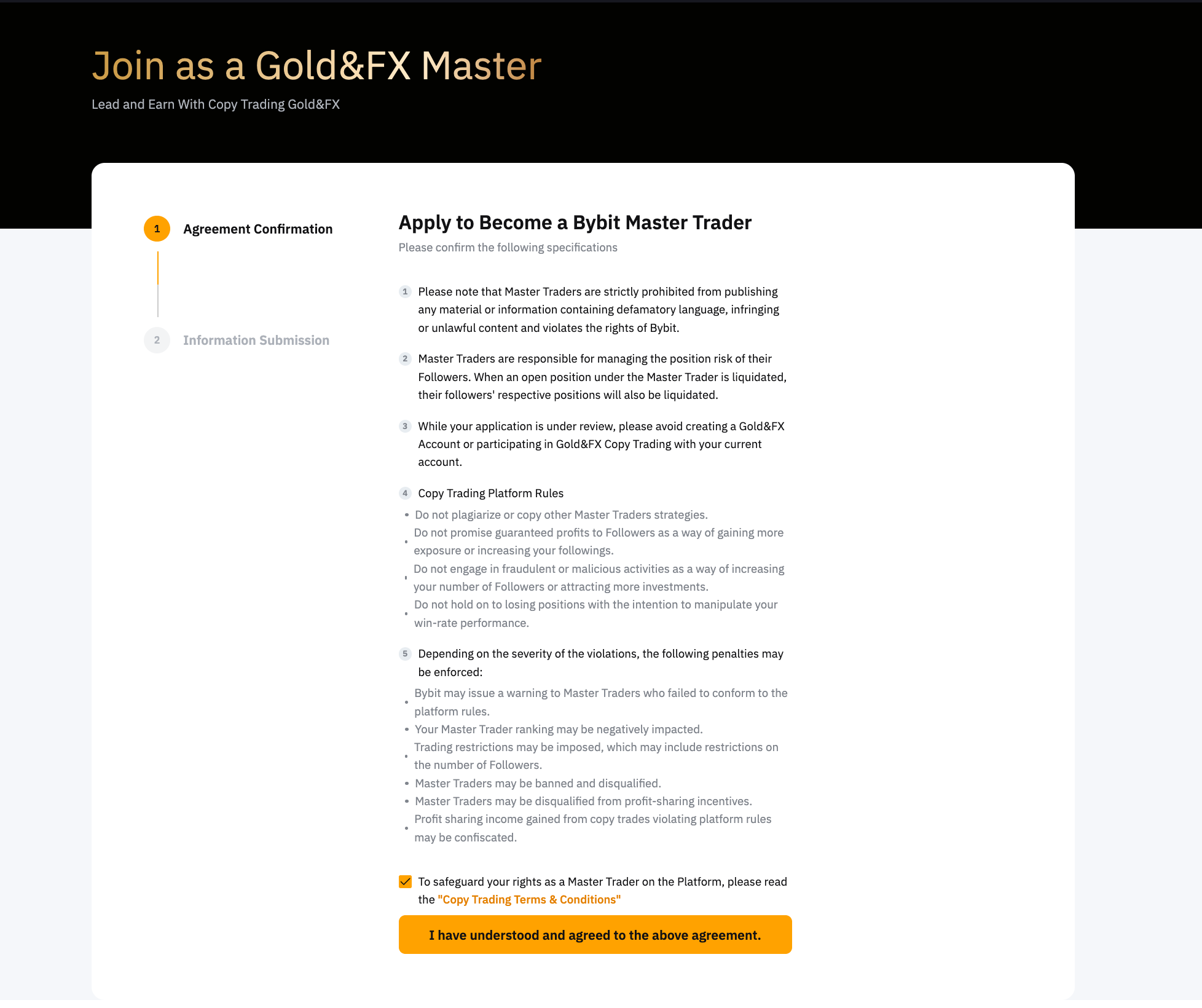
Step 4: Read the agreement carefully and click I have understood and agreed to the above agreement to proceed.
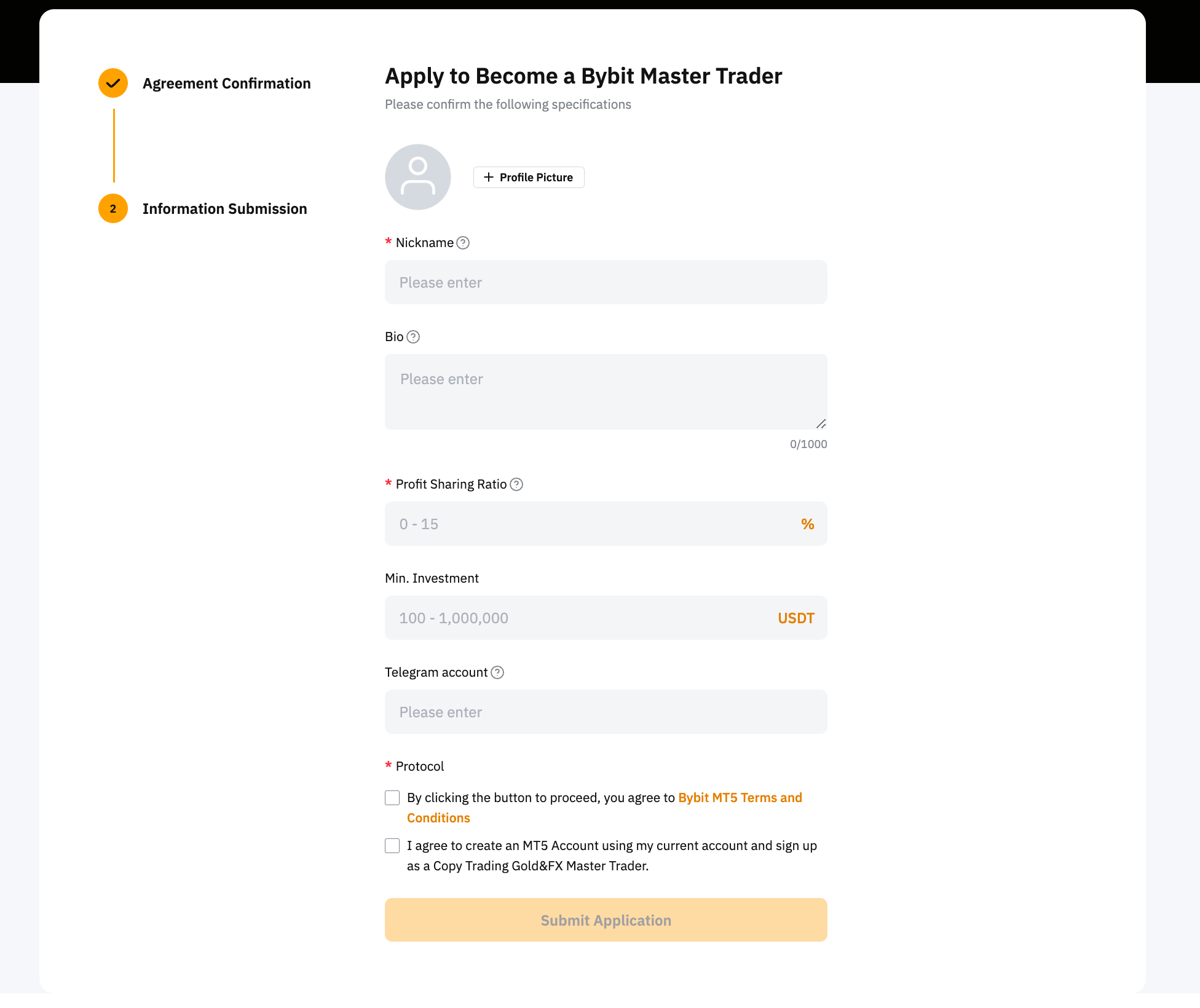
Step 5: Provide the following details and acknowledge the TradFi (MT5) terms and conditions before submitting your application:
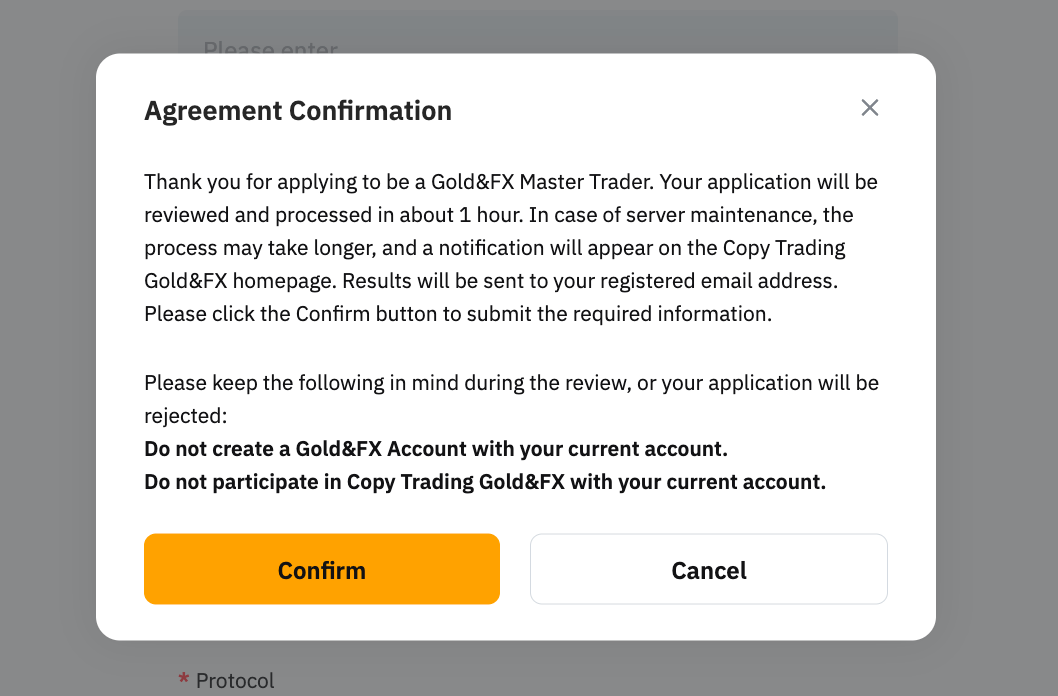
Step 6: A confirmation window will appear. Acknowledge the information and click Confirm.
- Processing Time: Applications are typically reviewed within 1 hour. Delays may occur during server maintenance.
- Notification: Results will be sent to your registered email address.
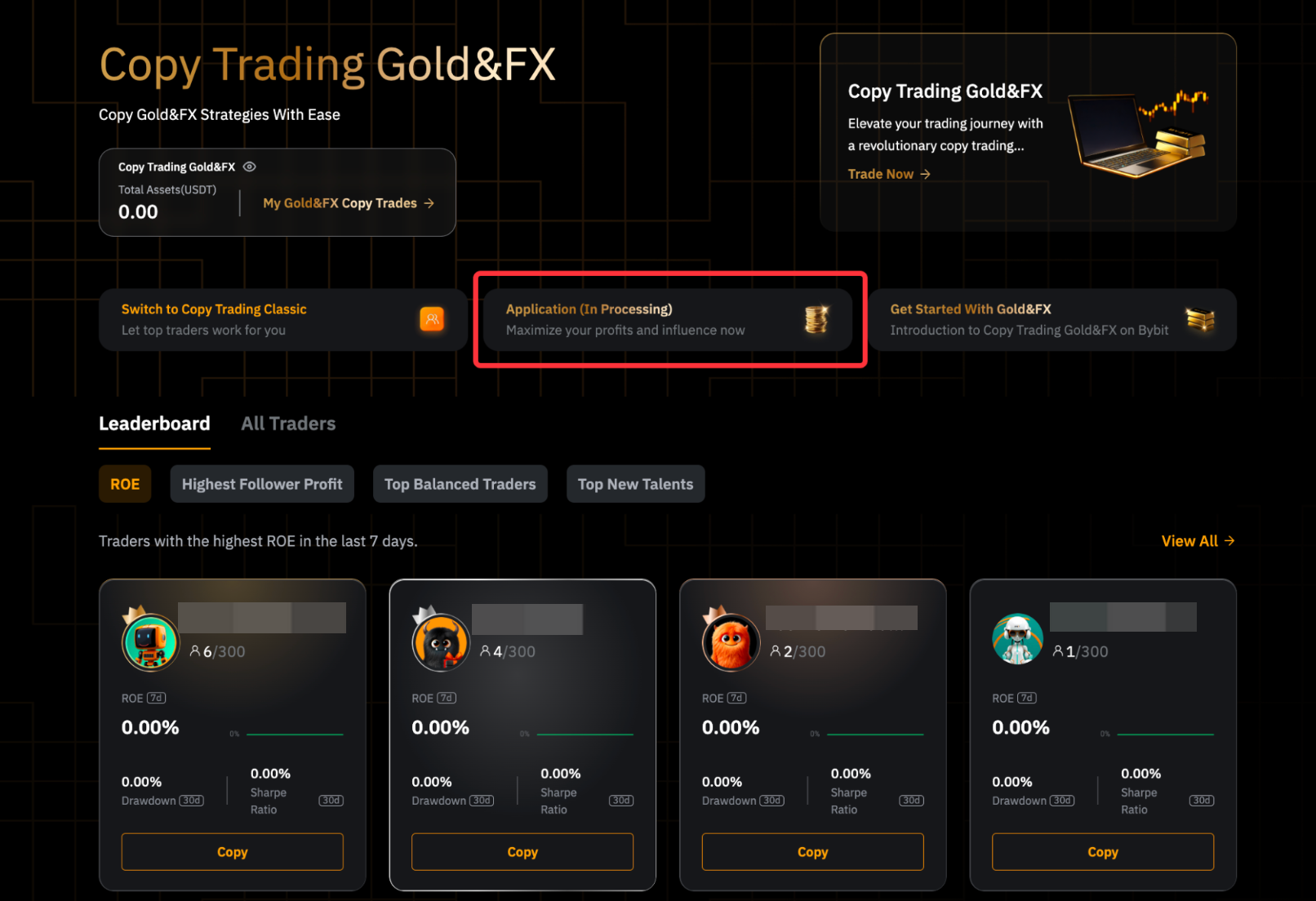
Note: Avoid creating a TradFi Account or following other Master Traders during the application review period, as this may affect your eligibility.
TradFi Master Trader Level System
After your application has been approved, your profile will be featured on the Copy Trading TradFi All Traders page with a ranking icon. All Master Traders will be ranked in four tiers: Cadet, Bronze, Silver, and Gold. You can find the detailed list of perks and requirements on this page.
Notes:
— Once you meet the criteria of a level, you will be upgraded to the corresponding tier and qualify for its benefits. You can also advance directly to higher tiers without progressing step by step, provided the requirements are met.
— As your ranking level increases, the maximum number of followers will increase accordingly. If your ranking level decreases, existing followers will not be removed. As a result, your follower count might exceed the current limit.
TradFi Master Trader Level Evaluation
After you pass the review by Bybit, a rating will be given to you based on your account balance USDx, 7-day cumulative profit, and the maximum drawdown in the last 7 days.
Evaluation period: 12 AM (midnight) UTC on Saturday to 11:59:59PM UTC on Friday
— Level upgrade evaluation: on a weekly basis. The upgrade will take effect on Saturday between 3:00 AM and 4:00 AM UTC.
— Level downgrade evaluation: on a weekly basis. The downgrade will take effect if fails to meet the requirements for two consecutive weeks on Saturday between 3:00 AM and 4:00 AM UTC.
Example
Trader A’s level changes as follows:
Week 1: Cadet
Week 2: Upgraded to Silver
Week 3: Fails to meet the Silver criteria, but will not be downgraded. In addition, trader A will receive a reminder email on the following Saturday.
Week 4: One of the following situations will occur:
- Meet the conditions for the Silver level: The Silver rating is retained.
- Failed to meet conditions for Silver level: The level will be automatically downgraded from Silver to the corresponding level. Please note that it may happen that you drop down more than one level at a time.
It should be noted that failing to meet the corresponding requirement for each level will trigger a downgrade. Additionally, if no trades have been made in the last 14 days, an automatic downgrade will occur.