Which countries and payment methods are supported for QR Pay?
Payment Method | Payment-supported Countries | Remark |
VietQR | Vietnam | Supported for both local and international users. |
QR PH | Philippines |
PIX Pay | Brazil |
QR 3.0 | Argentina |
Idram | Armenia |
Yape | Bolivia & Peru |
MoneyBadger | South Africa |
Bre-B | Colombia |
ELQR | Kyrgyzstan |
Bancard | Paraguay |
Why am I required to submit additional verification information when using certain payment methods?
Identity Verification is required to use Bybit Pay's QR Pay feature. In addition, some payment methods require an account review to comply with regulatory requirements. As part of this review, you may be asked to provide additional personal information, such as your nationality, full name, date of birth, gender, and residential address. The review is typically completed within 5–10 seconds.
What should I do if the activation or account review fails?
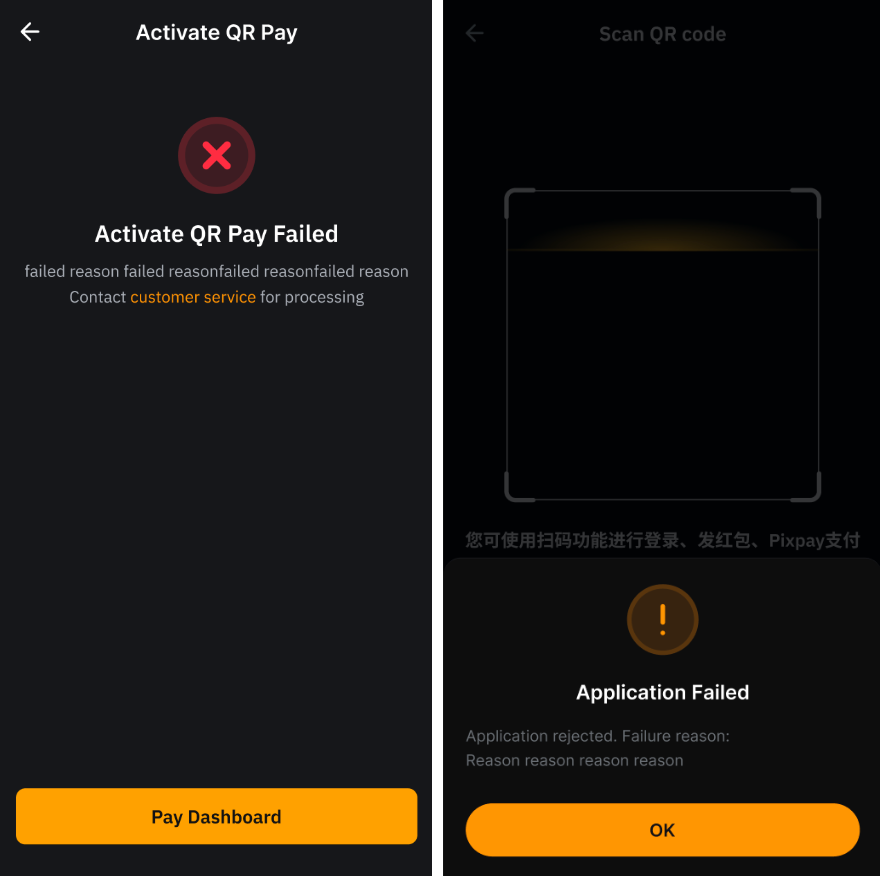
Please refer to the status page for the specific reason behind the activation or account review failure. If you need further clarification or assistance, you may submit a case here to contact our customer support.
Is there a fee for making transactions through QR Pay?
Payment Method | Fee | Notes |
VietQR | Bybit Pay does not charge any transaction fee for QR Pay transactions. | Foreign exchange fees may apply depending on the payment methods and currency used during the transaction. The applicable foreign exchange rate may include conversion costs between fiat currencies and cryptocurrencies. |
QR PH |
Idram |
MoneyBadger |
PIX Pay | If you make payments in BRL or ARS, and within a calendar month: - Your total transaction amount exceeds 2,000 USD, or
- Your number of transactions exceeds 30,
a transaction fee will apply to each subsequent transaction.
Fees for each subsequent transaction: - BRL: 0.26 USD
- ARS: 0.42 USD
|
QR 3.0 |
Yape | Payments can only be made using cryptocurrencies, which will be automatically converted to BOB, COP, KGS or PYG, depending on the payment method used. Fiat balances cannot be used to fund QR Pay transactions. |
Bre-B |
ELQR |
Bancard |
What are the transaction limits for each QR payment method?
Payment Method | Transaction limit |
VietQR | - Minimum: 0.65 USD per transaction.
- Maximum: 900 USD per transaction and 15,000 USD per day.
|
QR PH |
Bancard |
PIX Pay |
Idram | - Minimum: No minimum transaction limit.
- Maximum: 5,000 USD per month.
|
QR 3.0 | - Minimum: No minimum transaction limit.
- Maximum: 15,000 USD per transaction.
|
MoneyBadger | - Minimum: 0.06 USD per transaction.
- Maximum: 2,500 USD per transaction.
|
Yape | Limits per transaction: - Minimum: 5 BOB or 0.65 USD, whichever limit is reached first.
- Maximum: 6,000 BOB or 900 USD, whichever limit is reached first.
Limits per user: - Daily: 1,500 USD
- Monthly: 50,000 USD
|
Bre-B | Limits per transaction: - Minimum: 2,500 COP or 0.65 USD, whichever limit is reached first.
- Maximum: 3,200,000 COP or 900 USD, whichever limit is reached first.
Limits per user: - Daily: 1,500 USD
- Monthly: 50,000 USD
|
ELQR | Limits per transaction: - Minimum: 1 KGS or 0.01 USD, whichever limit is reached first.
- Maximum: 500,000 KGS or 5,600 USD, whichever limit is reached first.
Limits per user: - Daily: 20,000 USD
- Monthly: 50,000 USD
- Yearly: 100,000 USD
|
How long does it take to complete a QR Pay transaction?
Most transactions are typically completed within 15 seconds.
Can I send a tip to the merchant while performing a QR Pay transaction?
Yes. However, the tipping feature is only available for payment methods supported by Idram and MoneyBadger.
Is there a limit on tipping merchants?
Yes, the tip amount cannot exceed the payment amount.
Is refund supported for QR Pay transactions?
Refund availability depends on the payment method and merchant. If you have any questions, please contact Customer Support by submitting a ticket here.
Can I earn rewards from QR Pay transactions?
Yes. Depending on the payment method, you may earn cashback or use coupons when making QR Pay transactions. For example, ELQR in Kyrgyzstan supports these rewards. For more information about Bybit Pay rewards, please refer to this article.
What are the potential error messages I might encounter when using QR Pay, and how can I resolve them?
Scenario | Potential Reasons | Solutions |
Invalid QR code | - There is no amount embedded in the QR Code.
- The QR code is in an unsupported or invalid format.
- The QR code has already been used for payment.
- The QR Code has expired.
- The QR code cannot be recognized by our banking partner, so the payment cannot be processed.
| Verify that you're scanning a supported QR code, then try again. |
Network Error | Your network connection is unstable or unavailable. | - Please check your internet connection and try again.
- If the issue persists, consider switching networks (e.g., from mobile data to Wi-Fi) and retry the action.
|
Quote expired | The quoted exchange rate has expired. | Re-scan the QR code to obtain a new exchange rate quote, then try again. |
Transaction Timeout | The transaction took too long to process and timed out. | Please try again and ensure you have a stable internet connection and avoid refreshing or navigating away during the transaction. |
Risk Control Hit | Your transaction has been temporarily blocked due to our risk control measures. | Try again later. |
Insufficient Funds | The funds in the Funding Account are insufficient. | Top up your crypto balance or transfer funds from your UTA to your Funding Account. After you transfer the fund, click Try Again to scan the QR Code again. |
QR Pay Activation required | Some payment methods require QR Pay activation. | Please complete the activation process in order to proceed with the payment. |
Payment channel unavailable | The payment service is temporarily unavailable. | Try again later. If the issue persists, contact Customer Support for further assistance. |
Security restriction | A temporary security restriction has been applied to your account, temporarily restricting withdrawals. This may occur after changes to your security settings, such as resetting your password. | If your account is temporarily restricted due to a security measure, try again after 24 hours. If the issue persists, contact Customer Support for further assistance. |
